
You have just landed in Tokyo. You have your Suica card on your phone, your hotel reservation is digital, and you are ready to explore. You walk into a charming, lantern-lit ramen shop, order a steaming bowl of tonkotsu, and reach for your credit card. The chef crosses his arms and points to a sign: “CASH ONLY.”
Despite Japan’s rapid modernization and the push for cashless payments leading up to 2025, the reality on the ground remains stubborn: Japan is a society that loves physical currency. From buying train tickets for rural lines to offering coins at a shrine or paying for that life-changing ramen, you will need cash. But here lies the trap. Not all ATMs in Japan are created equal. You might insert your card into a standard bank machine only to have it spat back out with a polite error message. The panic sets in. Is my card blocked? Am I broke?
Relax. Your card is fine. You just picked the wrong machine.
This guide on How to Use ATMs in Japan is your financial lifeline. We will break down the “Holy Trinity” of foreigner-friendly ATMs, walk you through the button-pushing process, and reveal the hidden fees that can eat into your travel budget.
The “Holy Trinity”: Which ATMs Actually Work?
If you learn nothing else from this article, memorize this list. In Japan, domestic bank ATMs (like Mizuho or heavy local banks) are often notoriously unfriendly to international networks like Visa or Mastercard. Instead, you should ignore the banks and head to the convenience stores and post offices.
Seven Bank (7-Eleven)
- The Gold Standard: If you see a 7-Eleven, you are safe. Seven Bank ATMs are arguably the best in the world for travelers.
- Accessibility: There are over 27,000 of them. They are open 24/7/365.
- Language: They have a massive “English” button (plus Chinese, Korean, Thai, etc.) on the home screen.
- Tech: The interface is crisp, modern, and rarely lags. They accept virtually every foreign card (Visa, Plus, Mastercard, Maestro, Cirrus, UnionPay, JCB).
Japan Post Bank (JP Bank)
- The Rural Lifesaver: In big cities, 7-Eleven is king. But if you are hiking the Kumano Kodo or exploring a remote village in Tohoku, you might not find a convenience store. You will, however, find a Post Office.
- The Look: Look for the “JP” logo (orange and white) or the red “T” symbol of the Post Office.
- The Hours: Unlike 7-Eleven, these are not always 24 hours. Inside a post office, they may close at 5:00 PM or on Sundays. However, larger central post offices often have ATMs accessible later.
Lawson Bank & E-net (FamilyMart)
- The Backup: Lawson and FamilyMart used to be hit-or-miss, but by 2026, most have upgraded to foreigner-friendly machines.
- Lawson Bank: Similar to Seven Bank, very reliable.
- E-net: These are generic ATMs found in FamilyMart and Daily Yamazaki. Look for the green “E-net” logo. They work well, though the interface feels slightly older than Seven Bank’s.
Step-by-Step: How to Use the Machine
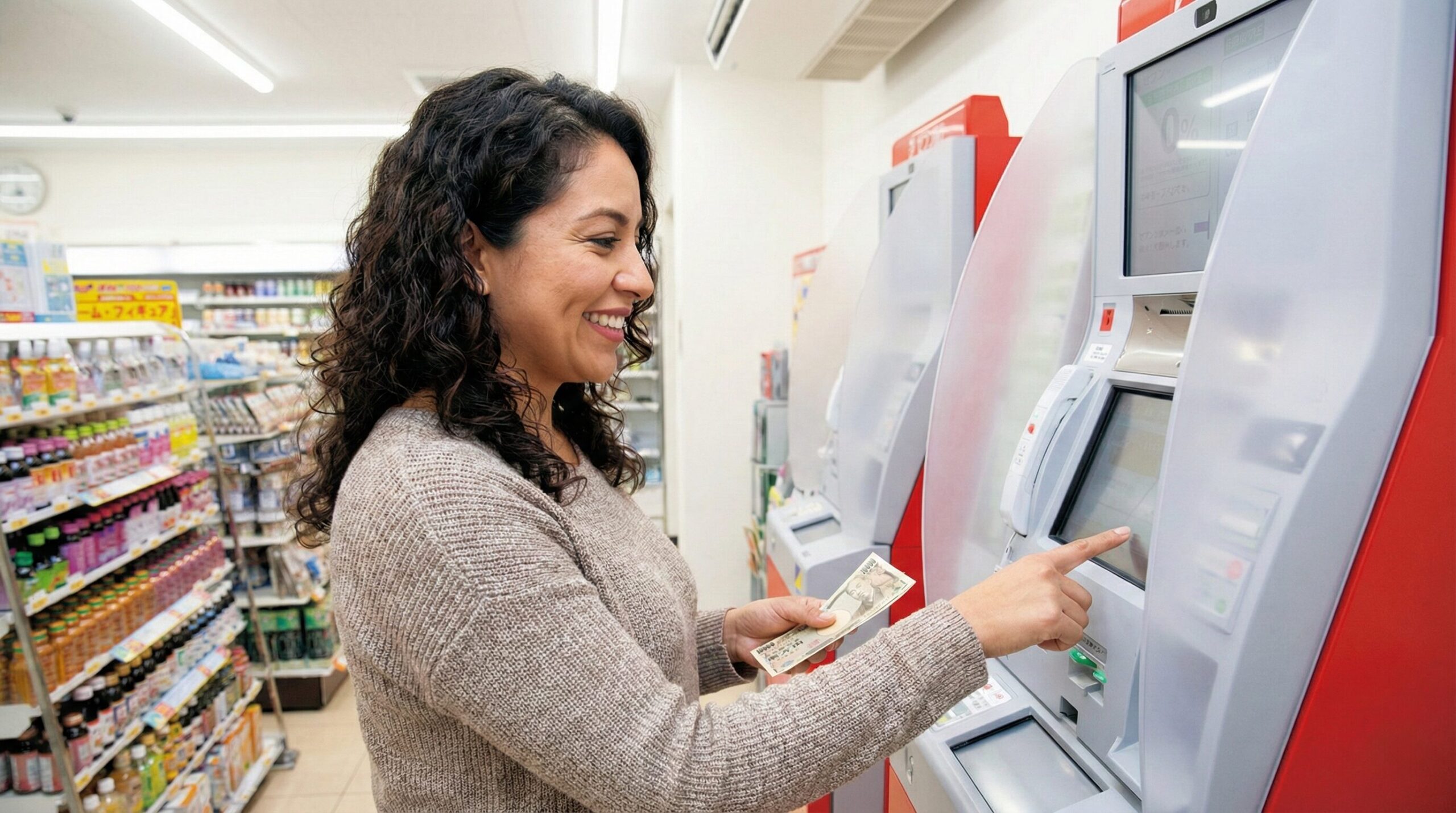
Using a Japanese ATM can be intimidating because the machine talks to you—loudly. Here is the typical workflow for a Seven Bank ATM (the process is similar elsewhere).
Step 1: Insert Card First
Unlike some countries where you select a language first, in Japan, you usually shove the card in to wake the machine up.
- Note: Insert it gently. The machine will grab it.
Step 2: Select Language
The screen will likely flash Japanese initially. Look for the button that says “English” or “Language” (usually top right or bottom left). Once pressed, the entire interface switches.
Step 3: “Withdrawal” vs. “Credit Card”
This is where 50% of tourists get confused.
- The machine might ask: “Credit”, “Savings”, or “Checking”.
- If using a Debit Card: Select “Savings” (or “Checking” if that’s your primary account).
- If using a Credit Card (Cash Advance): Select “Credit.”
- Pro Tip: If “Savings” gives you an error, try “Checking.” The routing logic can differ by bank.
Step 4: The PIN Number
Enter your PIN on the keypad (usually located below the screen, not on the screen itself).
- The Shield: The keypad is often recessed or has a plastic shield to prevent shoulder-surfing.
- The Digits: Japanese PINs are traditionally 4 digits, but modern ATMs for foreigners (Seven Bank, JP Bank) fully support 6-digit PINs. Important: Just enter your full PIN. Do not truncate it.
Step 5: Select Amount
- Yen Only: You are withdrawing Japanese Yen (JPY).
- Denominations:
- Seven Bank: Often allows 1,000 yen increments. (e.g., you can withdraw 3,000 yen).
- Others: Some older machines only do 10,000 yen increments.
- The “10,000 Yen Bill” Warning: If you withdraw 30,000 yen, you will get three 10,000 yen notes. These are large bills. Try to break them at the convenience store immediately by buying a water or gum.
Step 6: Dynamic Currency Conversion (DCC) – THE TRAP
Before dispensing cash, the screen might show you two options:
- “Charge in JPY” (e.g., 10,000 JPY)
- “Charge in USD/EUR/AUD” (e.g., $75.00)
ALWAYS CHOOSE “CHARGE IN JPY”. If you choose your home currency, the ATM applies its own terrible exchange rate (DCC), which can be 5–10% worse than your bank’s rate. Let your home bank handle the conversion.
The Economics: Fees and Limits
When learning how to use ATMs in Japan, you need to budget for the fees. You will likely get hit twice.
The ATM Owner Fee
The machine itself will charge you for the privilege of using it.
- Standard Fee: Unlike domestic cards, international cards are usually charged a flat fee regardless of time or day.
- Seven Bank: Typically 110 JPY (approx $0.75) for withdrawals up to 10,000 JPY, and 220 JPY (approx $1.50) for withdrawals of 20,000 JPY or more.
- Note: While domestic users pay more at night, international users usually enjoy this flat rate 24/7.
Your Home Bank Fee
This is the big one. Your bank back home might charge:
- International Transaction Fee: 3% of the total amount.
- Out-of-Network ATM Fee: $5.00 flat fee.
- Total Pain: Withdrawing $100 could cost you $10 in fees if you aren’t careful.
- Solution: Check if your bank has “No Foreign Transaction Fees” or reimburses ATM fees (e.g., Charles Schwab, Wise, Revolut).
Withdrawal Limits
- Per Transaction: Seven Bank usually limits you to 100,000 JPY (approx $650) per transaction. Japan Post might limit to 50,000 JPY for certain foreign cards.
- Daily Limit: Remember your own bank likely has a daily limit (e.g., $500/day). If the ATM rejects your 100,000 yen request, try 50,000. You might be hitting your own bank’s ceiling, not the machine’s.
Practical Examples: Troubleshooting
You followed the steps, but the red light is flashing. What went wrong?
Scenario A: “Invalid Transaction”
- Cause: Did you select “Credit” instead of “Savings”?
- Fix: Try the other account type. Or, you might be trying to withdraw more than your account balance (don’t forget the exchange rate!).
Scenario B: The 6-Digit PIN Issue
- Cause: You have a 6-digit PIN, but you heard a rumor to only enter 4.
- Fix: Do not do this. Modern ATMs like Seven Bank and JP Bank are designed to handle 6 digits. Enter your full code. If you enter a partial code, the machine will register it as “Incorrect PIN.” Do this three times, and your card will be locked. If the machine truly stops you after 4 digits, cancel the transaction and find a Seven Bank ATM immediately.
Scenario C: The “Maintenance” Hour
- Cause: It is Sunday night or early Monday morning.
- Fix: Japanese banking systems often undergo maintenance late Sunday nights or early Monday mornings. While some interruptions are short (10-20 mins), major maintenance can last several hours. If it doesn’t work, don’t panic. Wait until the next morning (after 7:00 AM) and try again.
Tips for Travelers
The Coin Burden
Japan is a coin-heavy country. You will accumulate massive amounts of 100-yen, 50-yen, and 1-yen coins.
- The ATM Tip: ATMs do not accept coins for deposit from foreign cards, and they do not dispense coins. You will always get paper bills (1,000 yen notes minimum).
- Coin Management: Buy a specialized Japanese coin purse (gamaguchi). Do not rely on your wallet’s tiny coin pocket; it will explode.
The “Recycling” Machines
Japanese ATMs are “Recyclers.” This means you can deposit cash into them (if you have a Japanese account).
- Why this matters to you: It means the machine is mechanically complex. When the shutter opens to give you money, take it immediately. If you stare at it for 30 seconds, the machine assumes you forgot it and sucks the money back in for security. Retrieving that money is a nightmare of paperwork.
Safety
Japan is incredibly safe.
- The Reality: You will see locals withdrawing 100,000 yen and counting it openly on the street. While you should always be aware of your surroundings, you do not need to look over your shoulder with the same paranoia you might need in Europe or the US. It is perfectly normal to carry $500+ in cash here.
Conclusion
The fear of the “Cash Only” sign is real, but it is easily conquered. By sticking to the Seven Bank and Japan Post networks, choosing “Charge in Yen,” and notifying your bank before you travel, you can navigate Japan’s cash economy like a pro. Remember: In Japan, cash is not just currency; it is a tool of respect. Handing over crisp, clean bills with two hands at a register is part of the culture. So, don’t be annoyed by the trip to the ATM. Treat it as the first step in engaging with the authentic rhythm of Japanese life. Grab your wallet, find a 7-Eleven, and get those Yen. That bowl of ramen is waiting.